
Swapping is not replenishing
Reloading swaps the current magazine for another compatible magazine in the player’s storage. It does not automatically move loose ammunition into an empty magazine. A half-full magazine remains half full, and an empty one can be selected again if it has not been refilled.
Use the current key binding shown in Settings; do not rely on a remembered default after rebinding controls.
Check the equipped weapon
Open the inventory or weapon interface and confirm the exact weapon and caliber. If the weapon was looted or changed, the magazines carried for the previous primary may no longer fit. Check that the selected fire mode and weapon state are also appropriate before diagnosing a reload bug.
The weapons directory identifies recorded calibers for the current detail pages.
Check the next magazine
Inspect the magazine list and round counts. A compatible magazine needs to be in usable storage and contain ammunition. If only one magazine was purchased, reloading has nowhere to move. If every spare is empty, repeated reload inputs only rotate empty containers.
At the vendor, buy a backpack or storage item before adding spare ready magazines. Confirm that the first magazine enters the weapon and later purchases enter storage.
Check ammunition compatibility
Loose ammunition must match the weapon and magazine family. Open the inventory behind cover and use the current refill, drag or combine interaction to move rounds into the magazine. Watch the round count increase before returning to the fight.
The September 10 PC Gamer Early Access guide documents pressing C from the inventory to replenish compatible magazines from loose ammunition. Check the prompt shown by the current build and your rebound controls before relying on that default. Repacking takes time, so move out of sight and keep one loaded magazine available while the others are being filled.
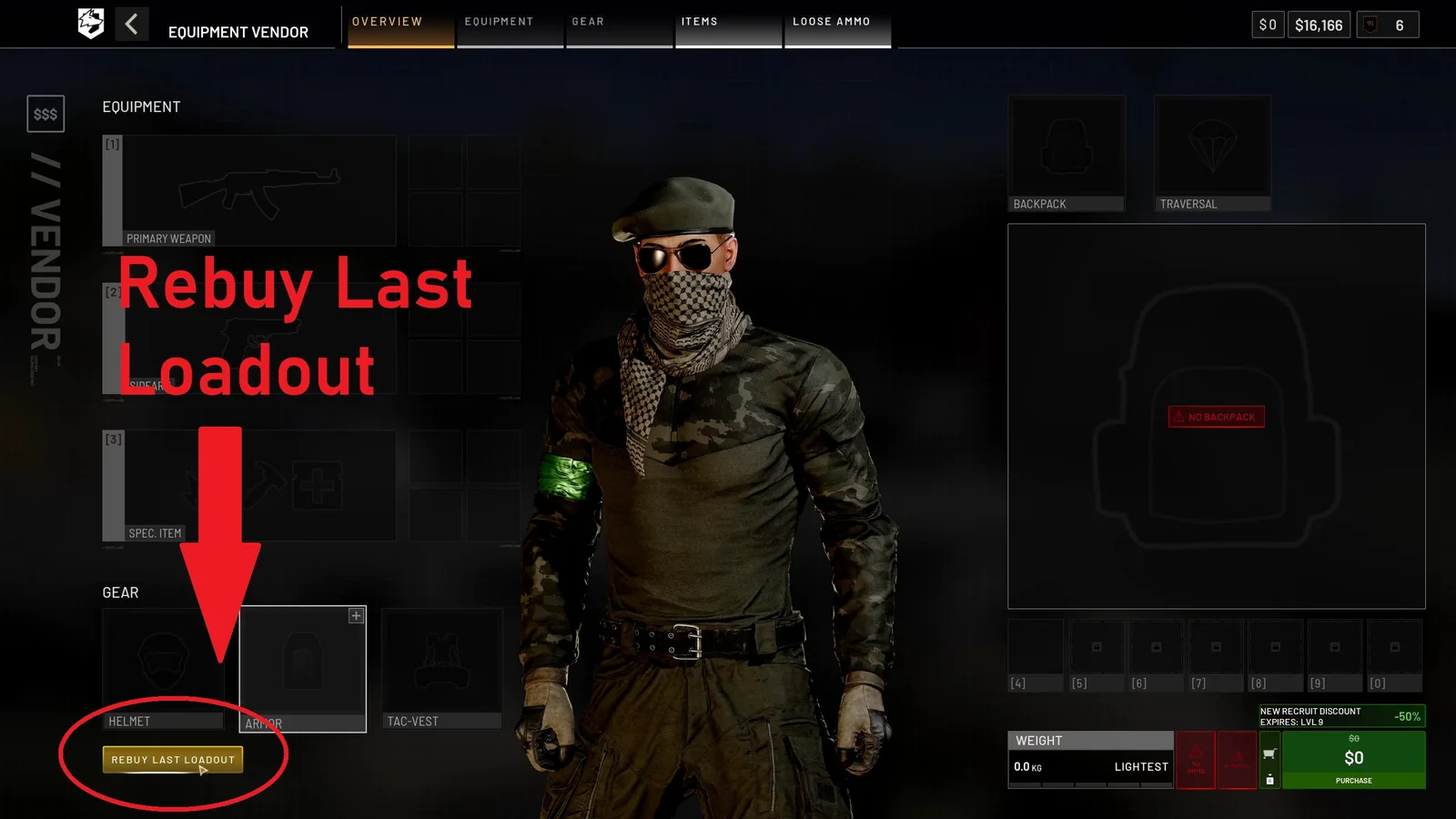
01 Rebuy before changing the cartThe vendor overview exposes Rebuy Last Loadout before another purchase is made. Open it first, remove anything the next task does not need, then check the new total.
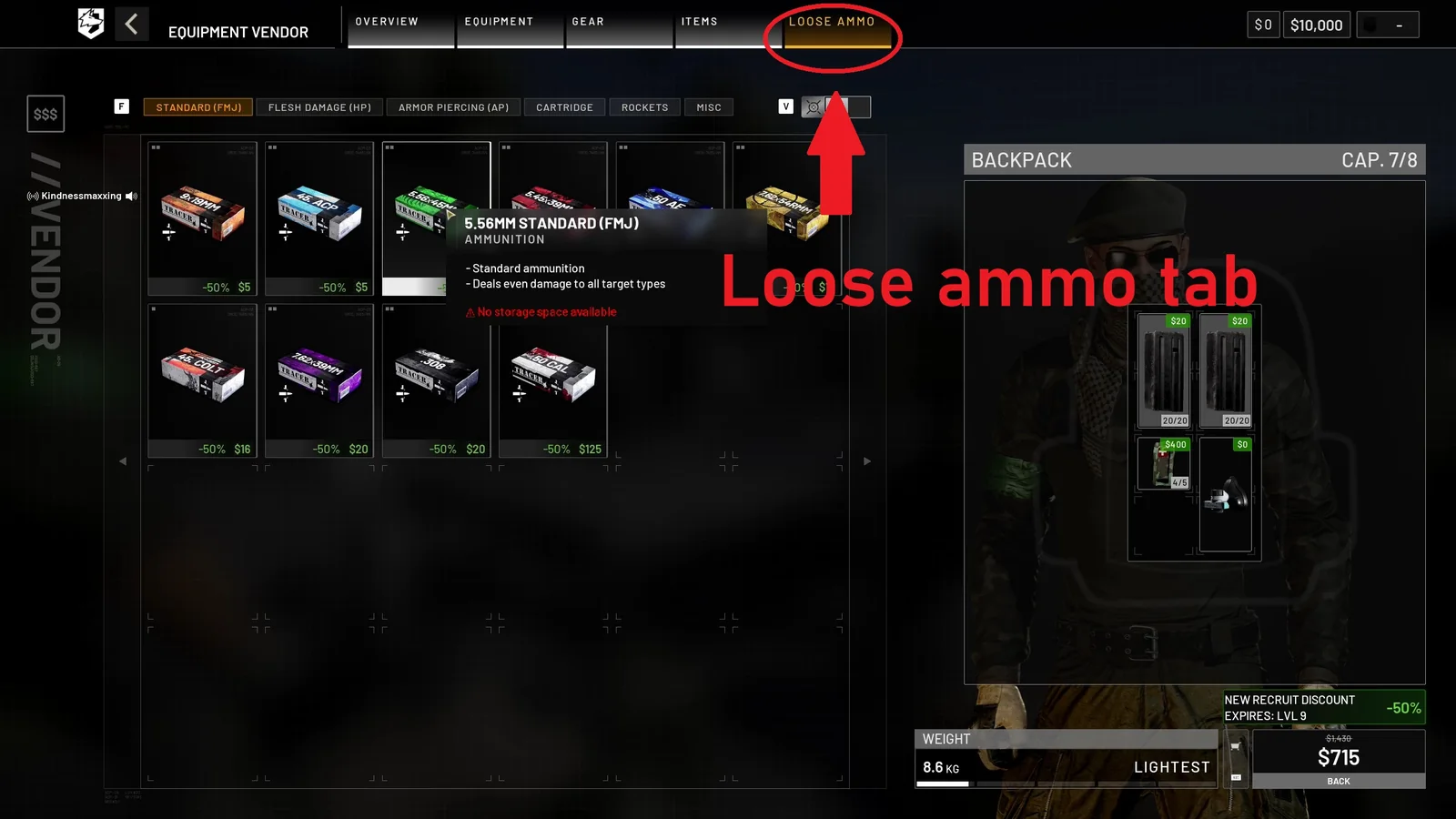
02 Add matching loose ammunitionUse the Loose Ammo tab after selecting the weapon and magazines. Match the caliber, confirm backpack space and keep at least one loaded magazine ready before deployment.
PC Gamer Early Access guide screenshots, credited to BULKHEAD · September 10, 2026 · source
Recorded ammo families include standard, flesh-damage and armor-piercing variants. Do not mix a different caliber or assume a shared category makes two magazines interchangeable. The ammo guide covers this relationship.
Prepare before leaving support
A reliable pre-deployment loop is:
- Equip the weapon.
- Select a supported magazine and ammunition.
- Add the first ready magazine.
- Add storage and ready spares.
- Add matching loose ammunition.
- Check weight, price and visible round counts.
- Refill during safe downtime instead of during contact.
If the vendor offers Rebuy Last Loadout, open it before purchasing another item. Review the list and remove equipment that does not fit the next task; the shortcut repeats a cart, not a tactical decision.
Keep medical items and task equipment in the budget; carrying more ammunition is not useful when the kit cannot survive or complete its job.
When to report a problem
If a known-compatible, loaded magazine cannot be selected after checking bindings and inventory state, record the weapon, magazine, ammunition, client build and exact steps. Add a screenshot or short clip that hides account details. Then use the official support or community bug-report route.
A clear report distinguishes an interface state from a connection problem or outdated client. Use troubleshooting when the symptom follows an update, server join or crash.
Read every value with its version.
Official changes use first-party announcements. Item fields without a current official table remain labeled as dated gameplay records until they can be checked in the public client.