
Quick answer
URAL: Deployment price $5,000 (Earlier record · not restated); Level gate Driver 3 (Earlier record · not restated); Permanent access payment $35,000 (Earlier record · not restated).
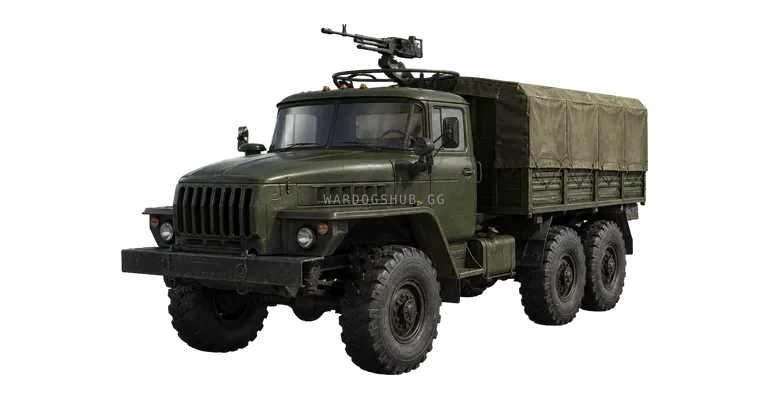
Recorded vehicle facts
| Category | Logistics truck |
|---|---|
| Recorded deployment price | $5,000 in-game cash · Earlier record · not restated |
| Level gate | Driver 3 · Earlier record · not restated |
| Permanent access payment | $35,000 · Earlier record · not restated |
| Crew | Driver + cargo/passengers |
| Evidence scope | Versioned item record · current-client recheck needed |
| Data build | Season 1 + versioned catalog |
| Earlier fields reviewed | 2026-09-16 |
| Season 02 balance note | Purchased vehicle inventories are private to the driver and squad by default; free team vehicles remain open. |
| Official access | Season 1 moved the named URAL gate; the table uses that official change |
| Recorded seats | 3 · driver and two passengers |
| Primary role | Logistics truck for supplies and team support |
| Cargo workflow | Pallets are dropped near the FOB, then unloaded into its stock; small crates use a separate inventory-transfer workflow |
| Image status | Exact community vendor render located and source-linked on September 16, 2026 |
Read the source label beside each price, gate and fee. These are separate payments; magazines, ammunition, protection, fuel and task equipment are not automatically included. Confirm compatibility and operating details in the current client.
Logistics role
Use the URAL when a route requires more than personal transport: moving supplies, supporting construction or keeping a forward position usable. Name the receiving location and confirm that the destination can accept the cargo before buying the truck.
An August 28 vehicle-and-cargo walkthrough shows two separate cargo paths. Pallets are purchased through the vehicle logistics menu, dropped beside the destination and unloaded directly into FOB stock; small crates must be opened, moved through a player's backpack and transferred at the FOB terminal. The recording uses B for the logistics menu, G to drop cargo and hold F to unload, but current bindings and prompts take precedence.
The same walkthrough shows Build, Ammo, Fuel and Mechanical pallet choices and demonstrates checking the friendly FOB marker before the next run. A September 14 Season 1 vehicle guide also records an 8×2 logistics bed that carries two pallets, an 85 L fuel figure and a 79 km/h top-speed figure. Those capacity and performance fields are community records, not official units or live telemetry.
Before deployment
Plan the outbound route, unloading space and return route. Avoid narrow entrances, blocked FOB lanes and exposed stops. A truck that reaches the destination but cannot unload or leave has not completed the logistics task.
Coordinate with builders before the purchase so the carried supply type matches what they can use.
Compare another option
The Humvee is a lighter transport with a versioned logistics option. The URAL Covered adds protected standing space, while the URAL Attack adds an M249 mount at a higher purchase and access cost. Choose the model by cargo, passenger and protection needs rather than the shared truck name.
Data version and sources
The official Season 02 notes supersede earlier values only where a field is explicitly named. The table labels those replacements separately. The image, physical specifications and other unreconfirmed fields remain dated records reviewed on September 16, 2026.
Earlier source record: The Season 1 access change comes from the official launch changelog. Other fields are versioned community records reviewed on September 16, 2026. The exact vendor render is a watermarked community capture linked below the image; it identifies the vehicle but does not prove current performance values.
Read every value with its version.
Official changes use first-party announcements. Item fields without a current official table remain labeled as dated gameplay records until they can be checked in the public client.